

Now Available: Stego Web
Expand your test scenarios
from mobile to PC
One interface for mobile and PC testing.
Why Stego?
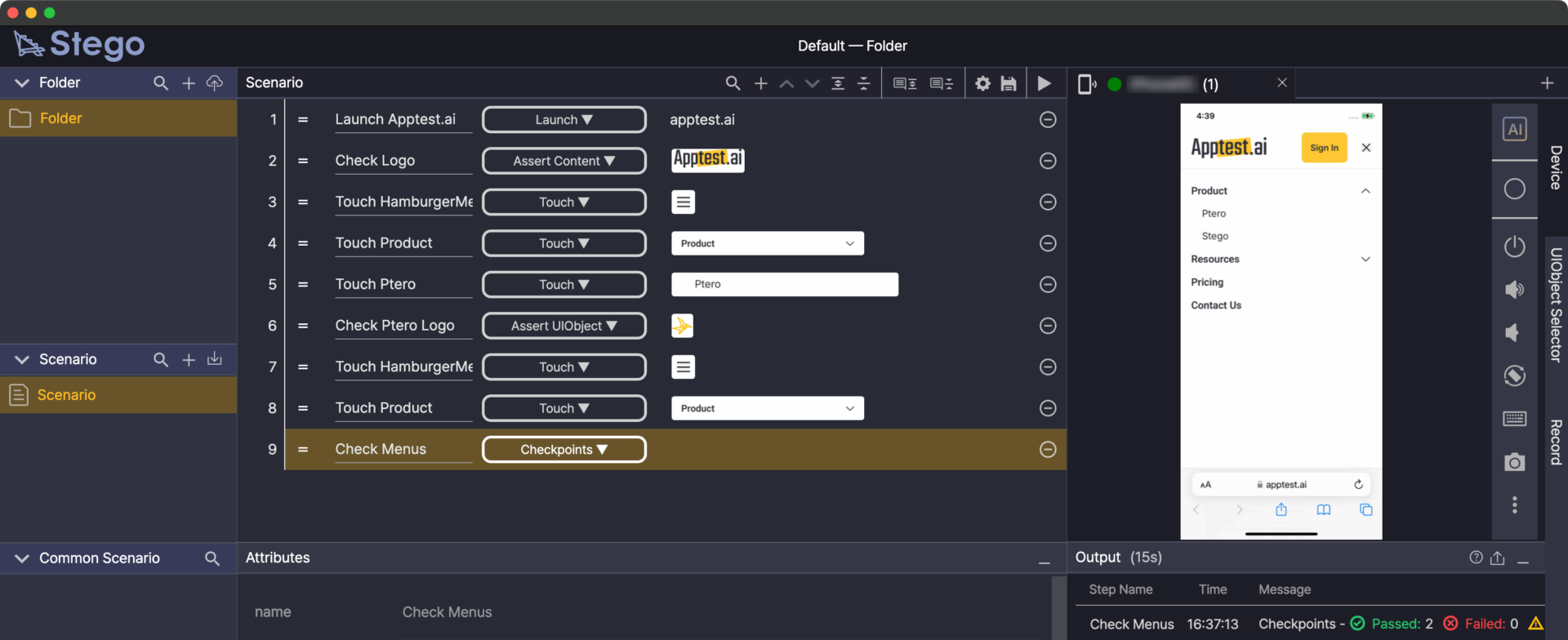
Write scenarios as easily as using the app.
Two versions.
One scenario authoring workflow.
Choose the version that matches your testing platform.
Both use the same interface.
Stego Desktop
Test mobile apps on Android and iOS devices.
Download and install on your PC or Mac.
Stego Web
Test Windows PC apps through your browser.
No installation. Start immediately.
Product Story
Closing Multi-Platform Testing Gaps
"We test mobile apps perfectly with Stego Desktop. Now we need the same for our Windows applications."
We heard this from customers across finance, e-commerce, and automotive industries. Teams were testing mobile thoroughly but leaving desktop untested, creating gaps in their quality coverage.
Many apps support both mobile and desktop. Users move seamlessly between platforms, but when test scenarios only cover one side, gaps emerge at transition points.
Stego Web answers this request:
the same Stego experience, now for Windows PC testing.
Why Stego Web?
-
Build complete user journeys Test both mobile and desktop in one scenario.
-
Test Windows PC apps Extend your test coverage from mobile to desktop.
-
Same workflow as Stego Desktop Familiar interface, same scenario authoring experience.
Current Support Scope
Choose the version for your testing needs.
|
Product
|
Key Features & Target
|
Status
|
|---|---|---|
|
📱 Stego Desktop |
Android / iOS test scenario authoring |
Available |
|
🖥️ Stego Web |
Windows PC test scenario authoring |
New Release |